

forensics Location of Event logs in Windows
 26 نوامبر 2022
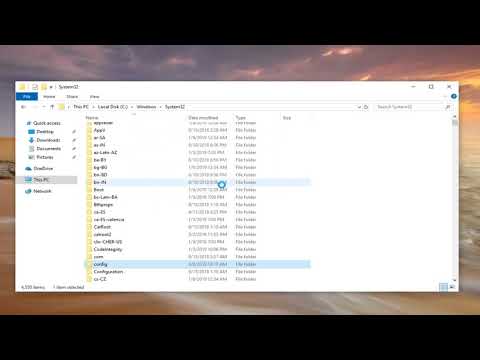
Please read this page to know what happens and how to deal with it. Inside the ‘System Volume Information’ folder, there will be one or more folders with a name similar to ‘_restore’. Inside each of these are lots of folders titles ‘RP…’ – these are repositories containing backups of system files that have been preserved periodically.
To fix Windows Installer errors and issues, ensure that it is current and functioning, not disabled, and registered. Close all programs in Windows and then proceed with the following steps in the order that they are listed to resolve the problem. After completing all the steps in each section, try again to install CTI Navigator before proceeding to the next section. Use a recovery disc.Use a huge bootable installation disc.Check for hard disk errors.Run SFC and DISM.Export your facts and do a clean reinstall. An issue with the volume boot code is the most common cause of hal.dll errors in Windows 7—11.
Part 1. What’s Windows Registry
If your problems are not solved even after this operation then you can all take the option of downloading software that will help you to repair the registry error. this link This software is very easy to use and will help to fix the registry related errors. It offers scanning options for you like full scan, custom scan and schedule scan. This process will detect the errors and will solve them for you.
- Command Prompt commands are not case-sensitive, but it does not forgive the use of extra spaces.
- Because you don’t know what is the real cause of the error.
- You can fix the automatic repair process by using the system restore tool.
- If you have some knowledge of the specific error you’re fishing for, now is a good time to dive into the subcategories.
An unexpected reboot error appears in the log when the system fails to shut down and restart gracefully. A likely cause of this error is the operating system stopped responding and crashed, or the server lost power. Look for events preceding the reboot to see a possible root cause. Use the “Event logs” drop-down menu and select the event category you want to filter. The Event Viewer can track three kinds of event levels, including Error, Warning, and Information. The “Error” logs, as the name implies, indicate problems that require immediate attention.
Does Windows have a built in registry cleaner?
In Windows, use of the registry for storing program data is a matter of developer’s discretion. Microsoft provides programming interfaces for storing data in XML files or database files which developers can use instead. Developers are also free to use non-Microsoft alternatives or develop their own proprietary data stores. Low integrity processes may also use registry virtualization. The registry can be manipulated in a number of ways from the command line.
Open the application and click on the Scan button3. Select the files or folders you want to restore and click on the Restore button Download this software now and say goodbye to your computer problems. In most cleaning tools, starting a registry dusting is a two-click operation. Simply go to the registry tab in the sidebar, select ‘Scan for Issues,’ and then ‘Fix Selected Issues.’ And that’s all there is to it.
Fortunately there are solutions to this seemingly inevitable problem. I recommend getting your computer scanned with a program designed specifically to look for errors in the registry. You can receive a free scan from Registryfix. This will quickly scan your computer and tell you exactly what and where the problems are. Once the registry problems are fixed you can expect to see at least a 30% increase in your systems performance.
Monitoring Windows Events in a Device
If you have any questions regarding the product, email our support team at Registry Cleaner includes an Exclusion list where the Registry entries added are meant to be skipped while scanning. The Registry entries considered to be genuine can be added to the list. The specified entries will not be scanned and marked as errors until removed from the list. Registry Cleaner facilitates with an option to undo changes. Each time a change is done in the Registry, a backup is automatically taken.
