

How to set Print Screen key to screenshot with Snip & Sketch on Windows 10
 26 نوامبر 2022
All you have to do is open the screen you want to capture, and then press the Power and the Volume Down buttons simultaneously. To get started, grab the Greenshot installer file from this link, then go ahead and launch it and run through setup. Along the way, you’ll be asked if you’d like to install additional components—this is where you can choose your favorite cloud storage service for syncing screenshots later. You’ll see a quick animation at this point, which means your screenshot has already been saved as a file. To view this image, head to your Pictures library in Windows Explorer and open the “Screenshots” folder.
- If your Bluetooth driver is not updated, it will not run properly.
- An email has been sent to you with instructions on how to reset your password.
- For quicker access, you can also create a shortcut to the screenshot folder on your desktop.
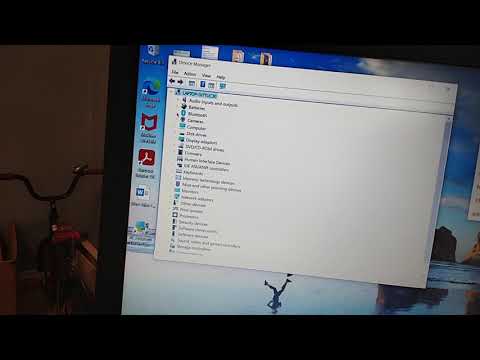
They establish a connection between your system and a device and make functionality possible. Naturally, Microsoft can’t include native support for every type of existing hardware. More often than not, you need to acquire and install drivers yourself to provide functionality for a device. To enable Bluetooth driver, right-click the Start button and choose Device Manager from the list to open it. If your Bluetooth adapter is disabled here, right-click it and click Enable device.
Latest XDA News
If for some reason, you want to install these updates manually, one of the above method should work for you. I have avoided using a third-party tool here for the sake of security. Click on Install on the https://driversol.com next screen and wait for the updates to be installed. Windows may take time to apply the updates, and your PC will restart several times, so don’t worry. This is important — select ‘Keep personal files and apps’ here only to install the updates.
Select either tool twice to open the color palette and select a different color or size. If you select Window Snip or Fullscreen Snip, select any area on the screen to take a snip. If you select Rectangular Snip or Freeform Snip, click and drag the area of the screen you want to snip. When the Snipping Tool is open and active, a white overlay appears. If you want to turn it off, you can do so via its Options.
Taking a Screenshot on Microsoft Surface
It’s easy, just select the Capture Video menu in the Menu option. However, for saved image formats PNG is only available. The app also features various ways to annotate screenshots, including free pen options and sound recordings. If you want to capture a video of your screen—perhaps to show how an app works—use the Xbox app’s Game Recorder in Windows 10. The Xbox app is designed to record videos of games but can also take videos of most apps in Windows—though not your full desktop.
Tina is a technology enthusiast and joined MiniTool in 2018. As an editor of MiniTool, she is keeping on sharing computer tips and providing reliable solutions, especially specializing in Windows and files backup and restore. Besides, she is expanding her knowledge and skills in data recovery, disk space optimizations, etc. Are you still troubled by Windows 10 update error after reading this post? It’s your turn to have a try on above methods one by one. When you extend partition, try to use MiniTool Partition Wizard.
