

The Easiest Way to Take a Screenshot in Windows
 25 نوامبر 2022
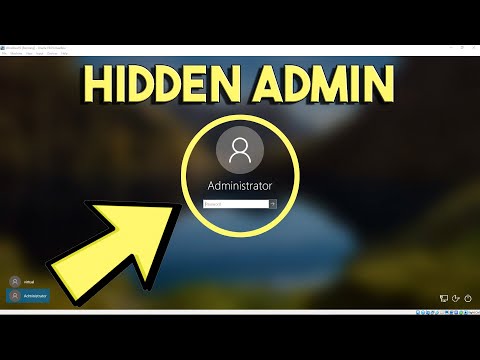
Browse other questions tagged windows visual-studio-2015 win-universal-app windows-10 access-rights or ask your own question. The problem was related with User Account Control settings. Some freshly installed software has disabled UAC. From the lock screen, click on the Power icon and select Restart while pressing down the Shift key. First, press the Windows key + R to open the run command box. There are a few ways to get administrator rights on your school computer running Windows 10.
This is an old method used to enter into BIOS in earlier versions of windows. This a simple technique to More Info enter into BIOS but it isn’t that much efficient in Windows 10 as boot time is now faster than earlier versions of windows. But this is a relatively faster way to enter into BIOS.
When you are done, simply click the stop button to end the recording. The saved screen recording can be found in the “Captures” folder inside of the “Videos” folder. Fullscreen Snip – This lets you create a full screen snip of everything that is visible on your screen. This works similarly to the standard full screen capture that you would generate if you simply press the Print Screen key on your keyboard. Clipboard is a folder that saves all of your copy-and-paste text and screenshots. You’ll need to hold down Prt Scr button while simultaneously holding down the Windows logo, which should be located on the bottom-left area of your keyboard.
How to Stop RealPlayer at Startup
It was going to be our top pick, but unfortunately Dell discontinued the sub-$500 model with an i3 processor. But as of this writing the version with a Core i H processor, 8 GB of memory, and a 512 GB solid-state drive is still available for $550, which is unbeatable performance for that price. Its 14-inch 1920×1080 display is the best of the models we tested this year, as is its comfortable backlit keyboard and sturdy build quality. As an added bonus, the Inspiron 14 has a reliable fingerprint reader built into the power button.
- You could blur the sensitive info in Photoshop, but a cleaner, more professional option is to use Inspect Element.
- If the value of “Date published” doesn’t match the time when you created the question in Tutorial 1, it probably means you forgot to set the correct value for the TIME_ZONE setting.
- The Snip & Sketch tool is easier to access, share and annotate screenshots than the old Snipping Tool.
Some machines, such as Microsoft’s Surface Laptop, will also come with a free upgrade to Windows 10 Pro for a limited period. As Social Media and Content Specialist at SeedSpark, he spends time chasing the newest trends and breakthroughs pushing the digital transformation in our personal and professional lives. As I clicked through page after page of laptops under $500, I began to notice a trend.
Why not use advanced start-up and boot into CMD that way? Some users also confirmed in the comments section that they can now switch out of Windows S Mode without any problem. Luckily, Microsoft took notice of the reports and quickly fixed the issue this time. The Redmond giant investigated the problem and figured out the bug that caused this issue.
Built-in Administrator account has no rights for some actions in Windows 10
A program called “PSR.exe” that’s built into virtually all Windows computers allows you to record up to 100 different screens and save them all to one document. This program also makes a note of where you click and which actions you perform on each screen. Full-screen Snip snips the whole screen, with all windows included. You’ll find the screenshot inside of the “Screenshots” folder, which is inside of your computer’s “Pictures” folder. Everyone knows you can take screenshots on your phone. This will open the Snip & Sketch window with options for writing on, highlighting, erasing, and cropping areas of the image.
Doing so stops recording screen changes and opens the results window. Open the program or screen that you want to take a picture of, making sure that any windows or items that you don’t want on-screen are out of the way. Once you create the Snip, it will open in a new window.
